Powerful privacy tool that deeply erases digital traces, temporary data and sensitive activity logs permanently
Powerful privacy tool that deeply erases digital traces, temporary data and sensitive activity logs permanently
Vote (36 votes)
Program license Trial version
Developer Evidence-eliminator
Version 5.0.58
Works under Windows
Vote
(36 votes)
Developer
Evidence-eliminator
Works under
Windows
Program license
Trial version
Version
5.0.58
Pros
- Thorough cleaning of diverse data sources
- Advanced options for forensic-resistant data removal
- Customizable cleaning profiles and plug-in support
- Comprehensive in-app documentation
Cons
- Complex interface may overwhelm beginners
- Risk of accidental deletion of important files or folders
- Potential performance impact during intensive operations
- No longer actively updated or officially supported
Advanced hard-drive cleaning tool for deep privacy protection
Comprehensive Privacy Protection with Evidence Eliminator
Evidence Eliminator is a Windows utility designed for users who require thorough data removal for privacy and security. Its robust suite of features targets hidden traces left by everyday PC use, including web browsing, application activity, and chat logs.
Feature-Rich Hard Drive Cleaning
Evidence Eliminator distinguishes itself by offering more than basic cleanup. In addition to removing temporary files, cookies, browser cache, Recycle Bin contents, and history logs, it also addresses data left behind by popular chat applications, mail clients, and third-party software. Custom plug-in modules extend cleaning options to cover numerous external programs and peripheral drives.
The software goes further by purging Windows registry traces, slack space (the unused bytes at the end of disk clusters), and file timestamps, enhancing defenses against forensic recovery attempts. Its developers claim advanced techniques such as overwriting deleted data and even using patterns to hinder detection with specialized hardware.
User Experience and Interface
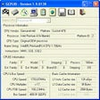
The interface opens with a quick-start wizard, aiding newcomers in configuring basic operations. However, the extensive feature set means the settings menu can be overwhelming for less experienced users. Each cleaning option is clearly labeled, but precise knowledge of what each function does is recommended, as aggressive cleaning can result in unintended data loss.
Particular attention is required when managing email client folders, as the default configuration may remove custom folders in Outlook Express if not excluded. Fortunately, the integrated help documentation is detailed, providing guidance on both usage and the underlying principles of privacy maintenance.
Security and Performance
Evidence Eliminator is primarily geared toward users concerned with preventing sensitive recovery of data. It utilizes multiple overwrite passes and claims methods designed to resist forensic scrutiny. While its performance impact during scans and cleaning is generally moderate, particularly intensive tasks can briefly slow system responsiveness, especially on legacy hardware.
Suitability
While the tool’s feature set is appealing to security experts, privacy advocates, and individuals under strict regulatory requirements, casual users may find many options unnecessary. The depth of cleaning provided by Evidence Eliminator exceeds that of most general-purpose system cleaners, which may benefit those with demanding privacy expectations.
Pros
- Thorough cleaning of diverse data sources
- Advanced options for forensic-resistant data removal
- Customizable cleaning profiles and plug-in support
- Comprehensive in-app documentation
Cons
- Complex interface may overwhelm beginners
- Risk of accidental deletion of important files or folders
- Potential performance impact during intensive operations
- No longer actively updated or officially supported